Why a logo can still scan
A QR code carries built-in redundancy called error correction. Even if part of the pattern is hidden, a scanner can rebuild the missing data. A logo in the centre covers some modules, so it only works if the code has enough redundancy to spare. The more of the code the logo covers, the less room for error is left for dirt, glare or a slightly blurry print.
Add a logo in QRinst
- Open the QRinst generator and enter your link.
- Expand Appearance, Colors & Frame and open the Logo tab.
- Upload your own image (PNG, JPG, WebP or SVG, up to 1 MB) or pick one of the popular logos.
- The tab shows Logo added and the preview updates instantly.
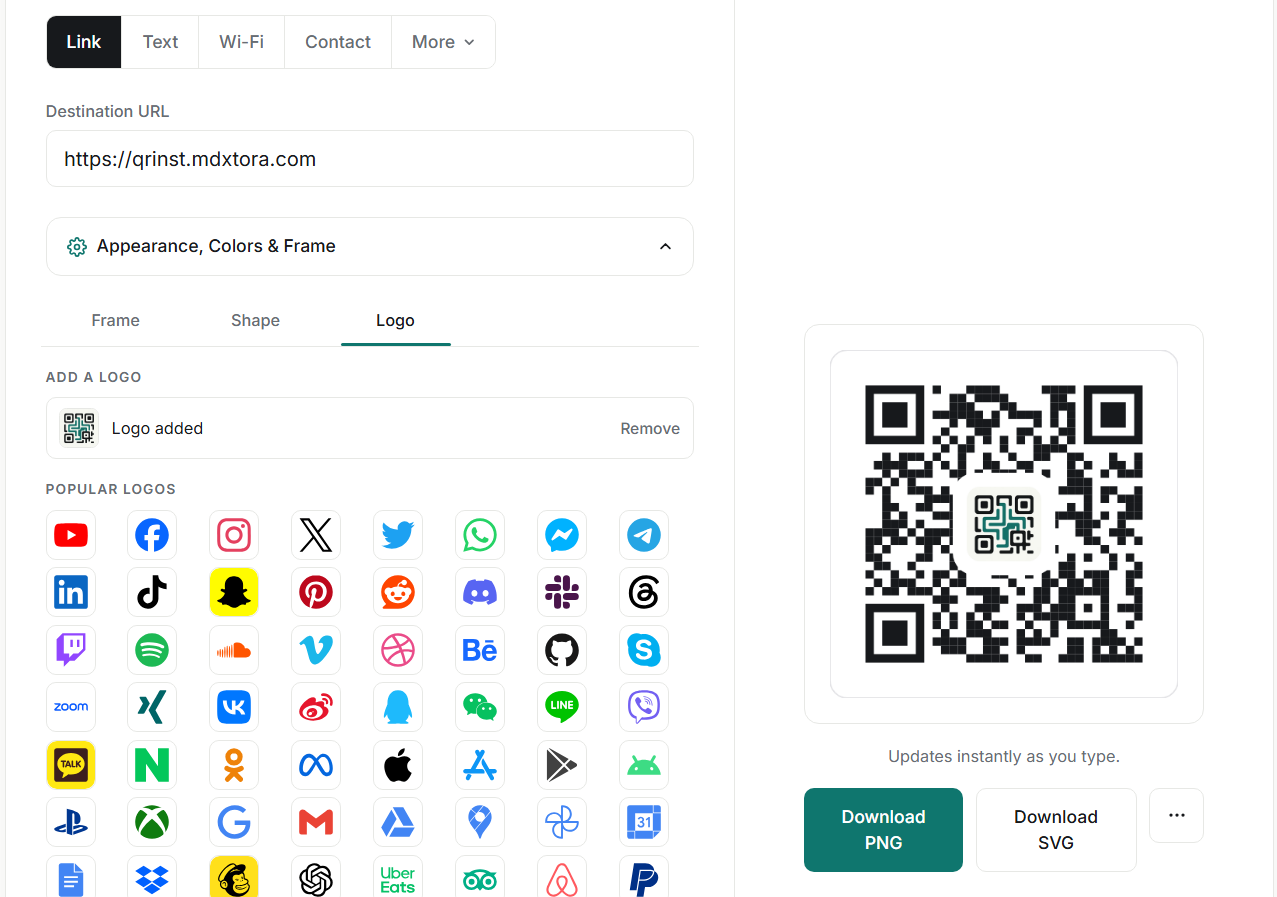
Keep the logo small
Use the size slider to keep the logo modest. QRinst shows an amber warning when the logo becomes too large for reliable scanning, so treat that warning as a hard limit rather than a suggestion. A simple logo on a plain padded background reads better than a detailed one.
In the advanced options, set Error correction to High when you use a logo. The panel reminds you of this too. High error correction makes the pattern a little denser, so make sure the printed code is not too small.

Test before you print
Download the code, then upload it to the QR checker. It decodes the code, reports the quiet zone and contrast, and tells you if the pixel size is too small. Then scan it with at least two phones, from the distance people will actually use. See what size a printed QR code should be for the distance rule.
More guides
- What size should a printed QR code be?
- How to make a Wi-Fi QR code guests can scan to connect
- QR code not scanning? 9 common causes and fixes
- How to make a QR code menu for your restaurant
- How to put a vCard QR code on your business card
- Static vs dynamic QR codes: which one should you use?
- How to make a WhatsApp QR code that opens a chat
- Are QR codes safe? How to spot and avoid malicious codes
- PNG, SVG or PDF? Which QR code file format to download
- How to track QR code scans with UTM links
- QR code colours: what scans and what does not
- How to make an email QR code with a pre-filled subject and message