The formats QRinst offers
Next to the preview there are two main buttons, Download PNG and Download SVG. The ⋯ button holds three more: JPG, WebP and PDF. Everything is generated in your browser.
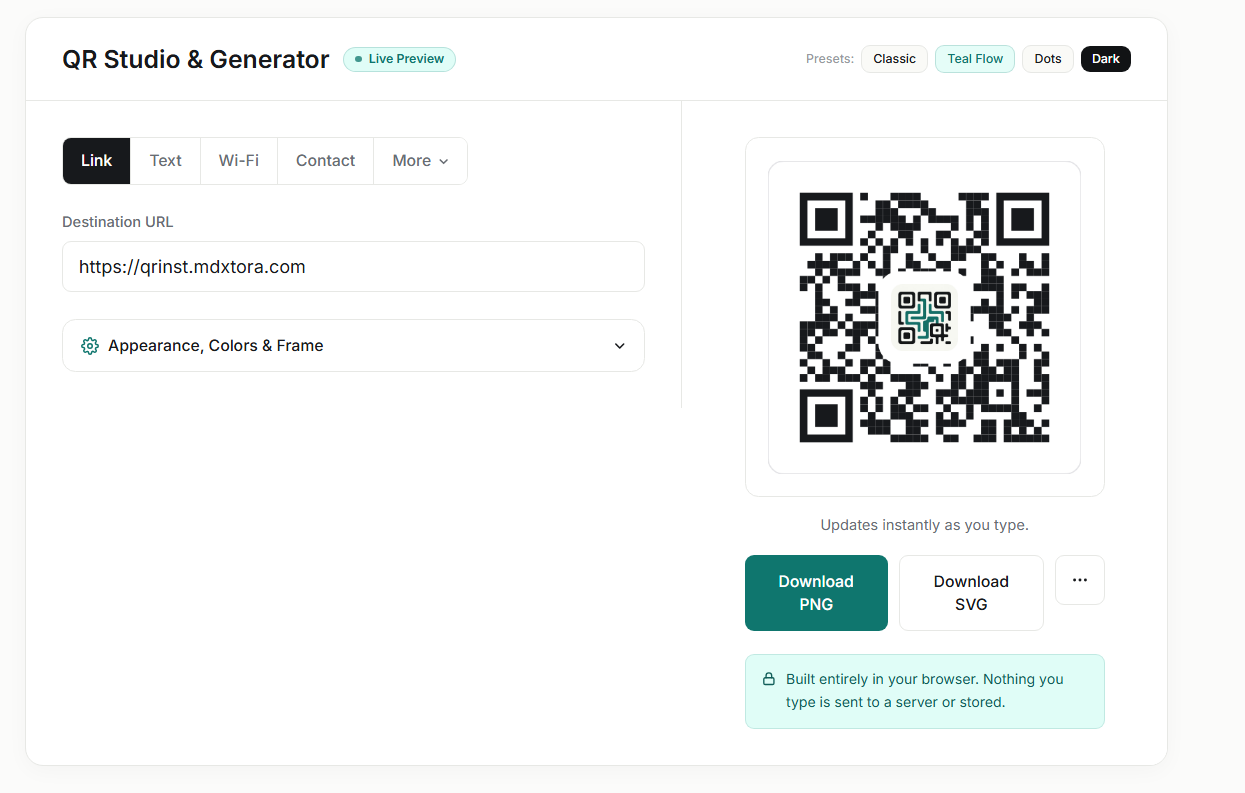
Which one should you pick?
- SVG is a vector file, so it stays sharp at any size. Choose it for posters, packaging, signs and anything a designer will place in Figma or Illustrator.
- PNG is the safe default for websites, slides and messages. Export it large enough that it will not be stretched.
- PDF is convenient when you want a single file to send to a printer or open straight from your computer.
- JPG and WebP are smaller files for web use. JPG is lossy, so avoid it for small codes or fine details.
Avoid common mistakes
- Never enlarge a small PNG. It blurs and may stop scanning. Export a bigger one or use SVG.
- Do not crop the white margin around the code; it is part of the code. See the troubleshooting guide.
- Keep dark modules on a light background, whatever the file type.

Whichever format you choose, run the final file through the QR checker before printing.
More guides
- What size should a printed QR code be?
- How to make a Wi-Fi QR code guests can scan to connect
- QR code not scanning? 9 common causes and fixes
- How to make a QR code menu for your restaurant
- How to put a vCard QR code on your business card
- Static vs dynamic QR codes: which one should you use?
- How to make a WhatsApp QR code that opens a chat
- Are QR codes safe? How to spot and avoid malicious codes
- How to add a logo to a QR code without breaking it
- How to track QR code scans with UTM links
- QR code colours: what scans and what does not
- How to make an email QR code with a pre-filled subject and message